 ChildStep
Big goals, small steps — walked together
Get the app
ChildStep
Big goals, small steps — walked together
Get the app
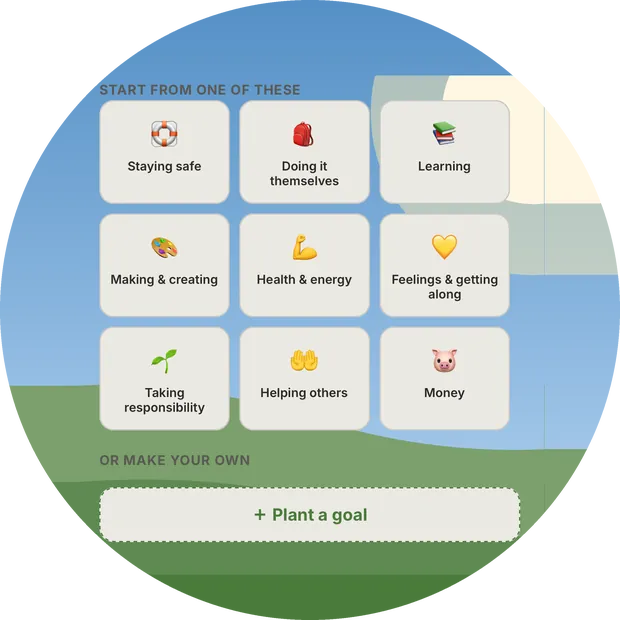
Set your family's goals together.
Talk it over together: what does your child want, and what is the first small thing that helps? Give it a day and a name — the app remembers, reminds whoever's turn it is, and each week shows you how it went, so you can change what isn't working.
What it changes in a family
Not another shared to-do list. ChildStep is what connects the people in a family, and the guide on the path they walk together: every week it lays out what actually happened, gives each of you somewhere to say what you noticed, and turns both into the plan for the week ahead.
It fits an ordinary week
Homework, swimming, piano, chores, saving up for something — the things almost every family with a school-age child is already trying to do. The week is the unit, because that is how a family already lives, and nothing here needs a perfect one to work.
One card the whole family writes on
The weekly reflection is not a parent's report on a child. It is one shared card, and everyone in the family can add to it — your child included, and by name when a note is meant for them.
The child leads; help arrives in time
The child owns the tap that marks a step done, so the progress is visibly theirs. The parent sees the same board and can help early — make a step smaller, move a date — so a hard week gets adjusted and the goal still arrives.
A streak only means something if it is honest
Big results come from small repeats — twenty minutes of reading, one lesson a week. ChildStep counts what really happened and puts the misses beside the wins, because a streak that quietly forgives itself is not telling you anything.
Last week, sitting next to this week
Each week stands beside the one before it, so you can see the shape changing before it becomes a problem. Then you move a date or make a step smaller — adjusting is part of the method, not a failure.
One family, one closed space
Only the people your family invites can see anything. There is no public profile, no feed, no stranger who can message a child, and no leaderboard between children.
How it does it
Five screens do most of the work. Here they are.
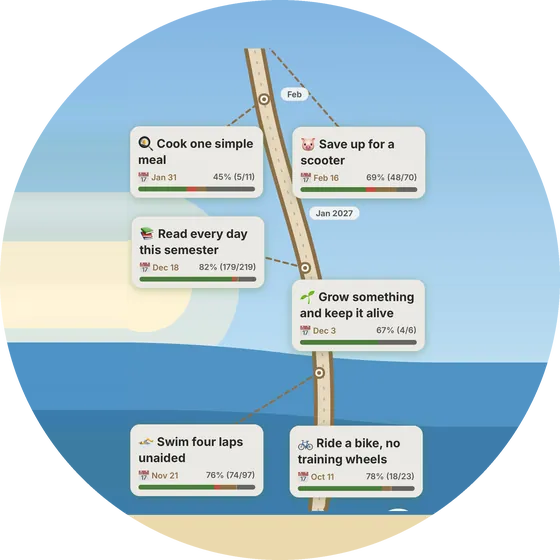
No path to a goal runs straight
You can see the whole way at a glance: every goal on the trail, with its date and how far it has come. When life gets in the way, drag a goal to a new place and the date moves with it — the picture and the plan are the same thing.
Roads to anything worth reaching bend, and this one bends with you. What makes it work is that you walked it together, and get to remember it that way.
Steady steps, in the same rhythm
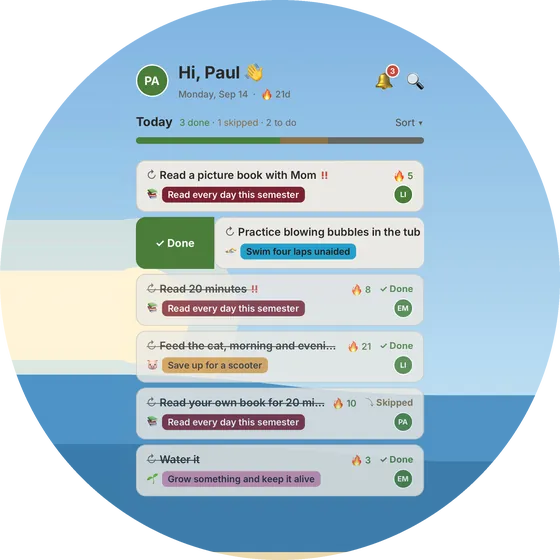
Today is one short list: each step on the day it belongs on, and on the person it belongs to. Done in one tap. Swipe for missed or skipped, or answer straight from the reminder without opening the app.
The same small rhythm, every day, is what carries a family a long way — and what turns a big goal from something daunting into something safe to walk into.
Say something, and adjust together
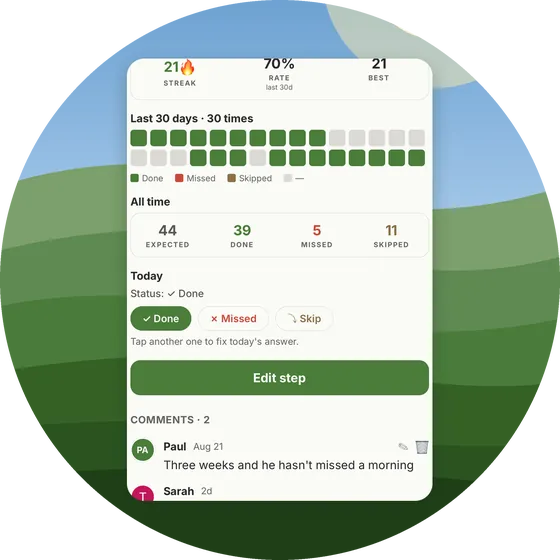
Each step has its own page: its streak, its last thirty days, and room for the family to talk about it. Leave a note, send a cheer when somebody finishes theirs. A weekly reflection gives everyone one card to write on — what went well, what to change next week.
It stays on the step it belongs to, and inside your family.
Nothing hidden, nothing forgotten
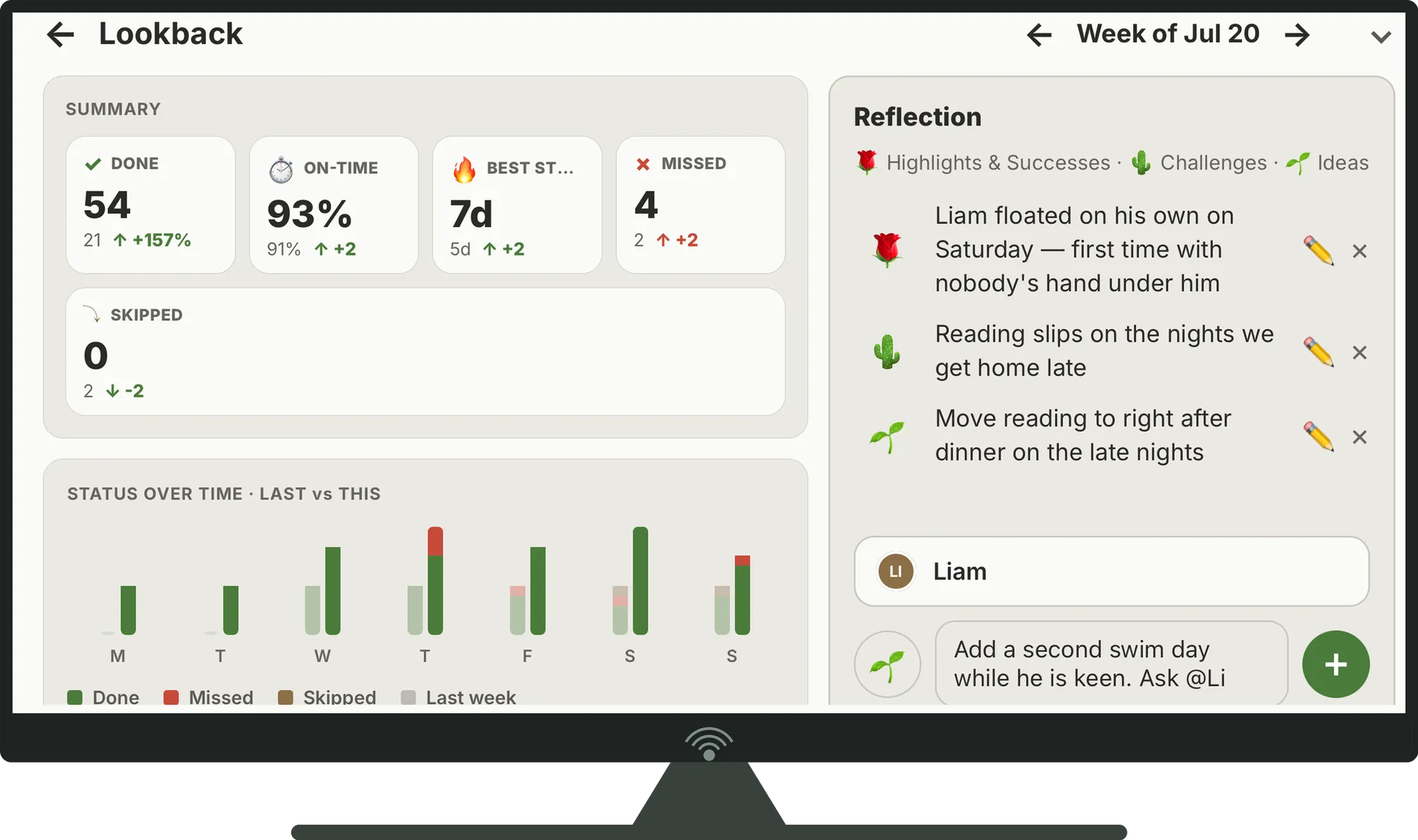
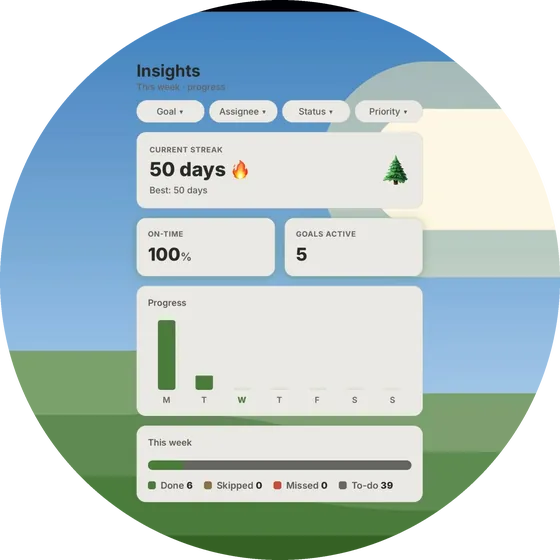
Reminders arrive before a step is due on the phone of whoever owns it. Insights show the current streak, the on-time rate, and the week laid out as done against missed.
Everyone in the family sees the same numbers — a child can see their own progress without asking.
Look back together, then change the plan
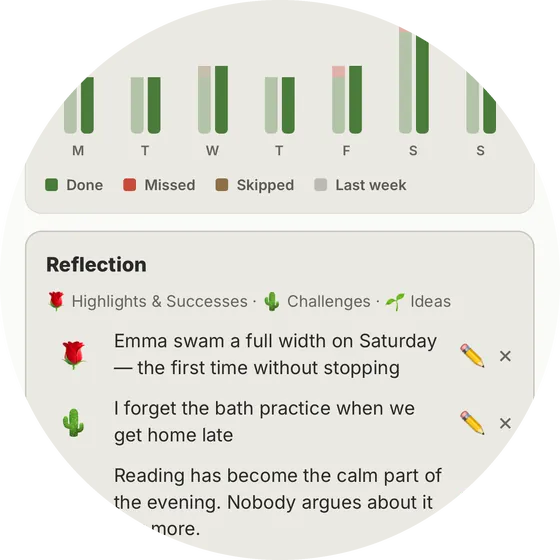
When a week ends, Lookback puts it in one place: what got done, how much of it on time, this week beside the last one — or the month, or the quarter. Then the family writes on it together, on one card everyone can add to: the good things worth keeping, what kept getting in the way, what to try next.
That last part is what makes the difference. A week you only talk about changes nothing; a week you look at ends in a decision — add the step you agreed on, move a date, drop what is not working. A few weeks of that and the goal arrives sooner, because the plan is the one you learned instead of the one you guessed at the start.
A private family workspace
Your family's data is visible to your family and nobody else. No ads, and no advertising or tracking SDKs of any kind. Crash reports carry no names — your family's are removed before anything is sent. You can export or delete everything from Settings → Manage data.
Sign in with Apple or Google
No new password to invent or forget. A child never signs up alone: a parent creates the family and invites them with a family code, so an adult is always the one who set this up.
One small step today, and the family walks it with them.

